
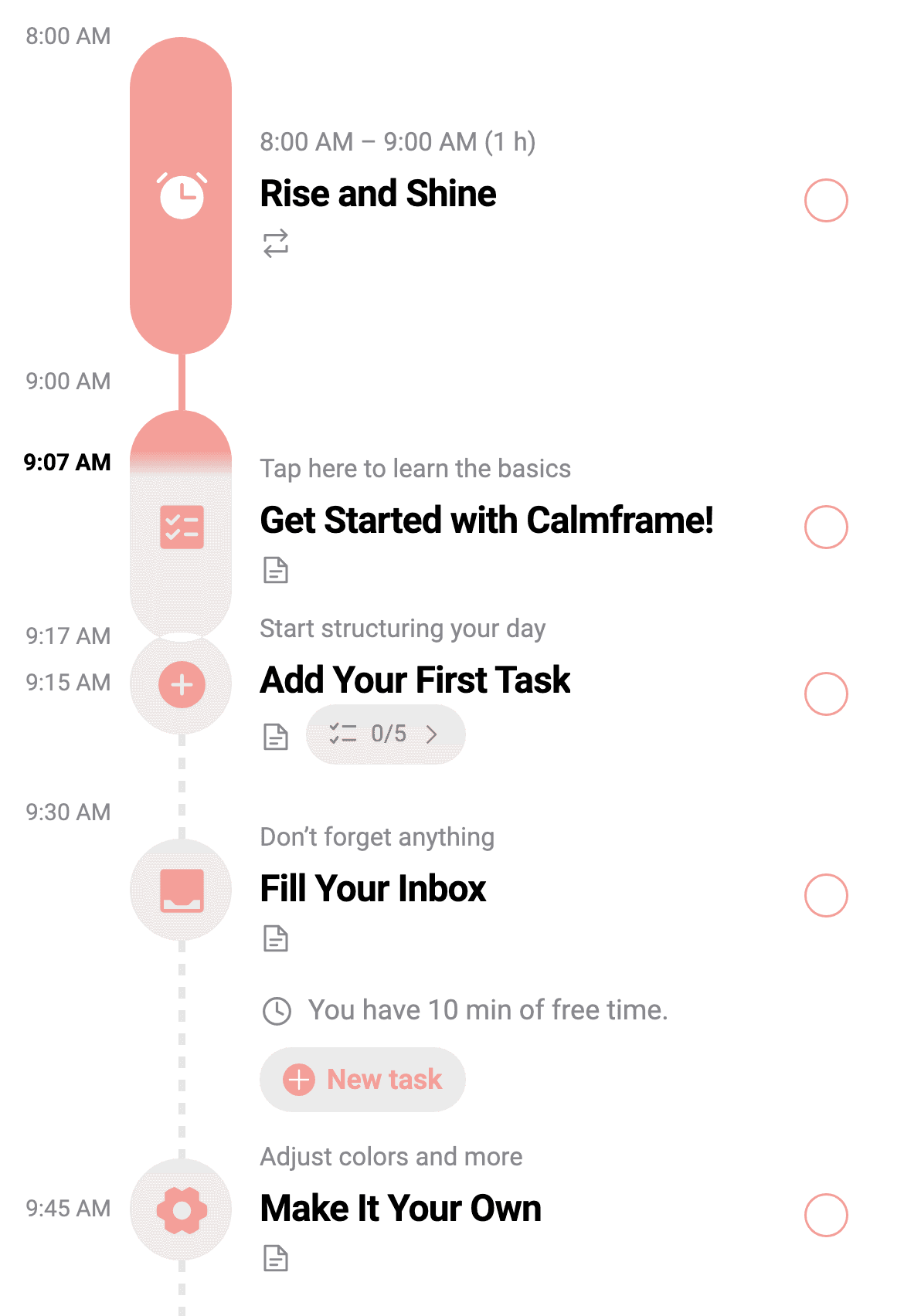
A list tells you what. A plan shows you when.
Turn work, study and everyday tasks into a clear timeline. See what fits today, look ahead to the week and leave room for yourself.
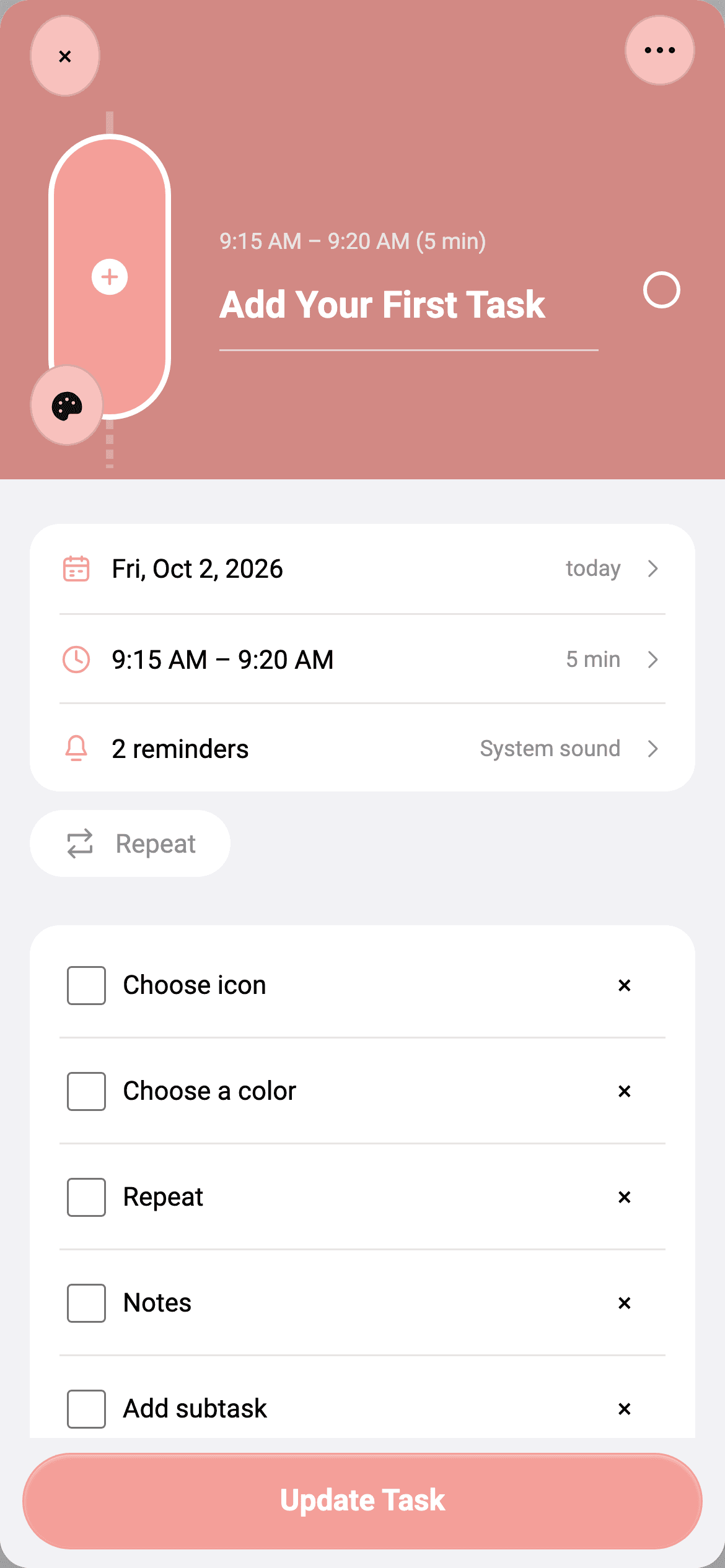
Give each task a start time and duration, then break bigger plans into smaller steps. Keep the details beside the task they belong to.
See your day take shape.
Place work, errands and time for yourself on the same timeline. See when each task starts and how long you have set aside, then open the week to look ahead.
Big plans, clear next steps.
Break a task into subtasks, tick off each step and keep useful notes alongside it. Choose a colour and icon to recognise work, study and personal plans at a glance.
Help center
Find answers about daily and weekly planning, unscheduled tasks, routines and keeping a copy of your plans.
Help centerHow do I turn a to-do list into a daily schedule?
Give a task a date, start time and duration. Calmframe places it on the daily timeline so you can see how it fits beside your other plans. Open the week view to review the days ahead.
Where can I keep tasks that do not have a time yet?
Save them in Inbox without choosing a time. When you are ready to schedule a task, open its details, choose a date and time, then save it to move it onto the timeline.
Can I plan regular routines without adding them every time?
Set a task to repeat using the pattern that suits your routine, such as a daily walk or a weekly shop. Keep notes and smaller steps with the task so its details stay together.
Do I need an account to start planning?
No account is needed for local planning on your device. You can create and organise tasks without signing in. Local use does not mean your plans are automatically available on another device.
How can I keep my own copy of my plans?
Open Settings, then Advanced Settings and Backups to export a copy. Store the file somewhere safe: it contains your tasks and notes. Backups are exported manually; restoring one replaces the current workspace and saves a recovery copy first.
Your data
Understand where your plans are saved and how to keep a copy.